
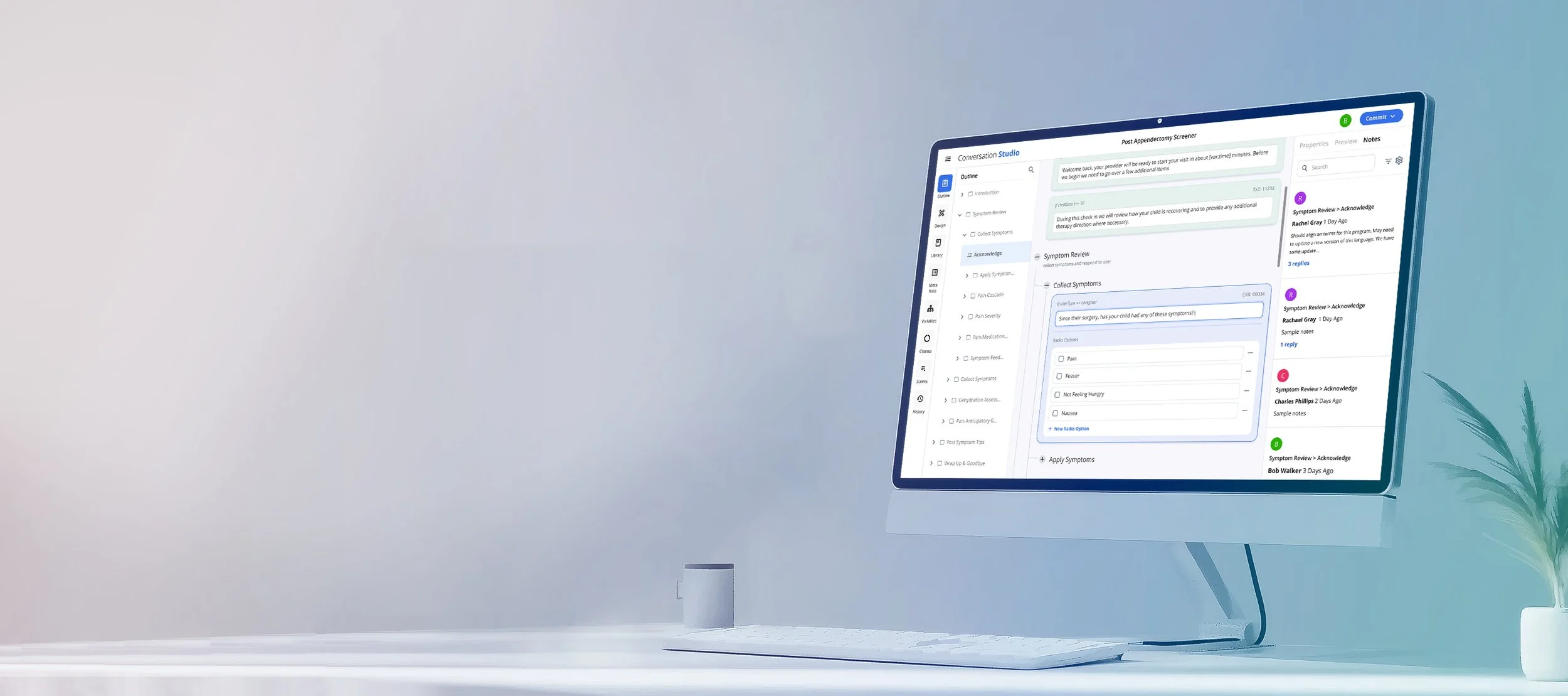
Conversation Builder
Uniting teams in realizing a shared vision
What are Automated Care Programs?
Automated Care programs are logitudinal chat based programs to help patients manage their care, monitor conditions and improve clinical outcomes by offering condition-specific guidance, support and education.
These programs proactively keeps patients and providers connected between visits to ensure patients receive the right care at the right time. Automated chats provide clinically based accessibly by any device.
Care program exist in a closed system where the program development team defines each path and manages possible outcomes, allowing for them to maintain patient safety
These programs have complex logic that responds based on a patient’s input making each experience unique and personal. The time required to build a single program was lengthy, taking on average 18 weeks.
The Problem
We needed to build an internal facing tool that allows for for teams to build dynamic long term, multi-chapter health care program experiences that can step a patient through getting the care while also shortening the time to define, develop and validate.
The most significant challenges facing the business when building care programs were the time it took to build and also that care programs were only offered as bespoke solutions for specific customer needs. There was no ability for reuse. In short, developing a program was very costly.
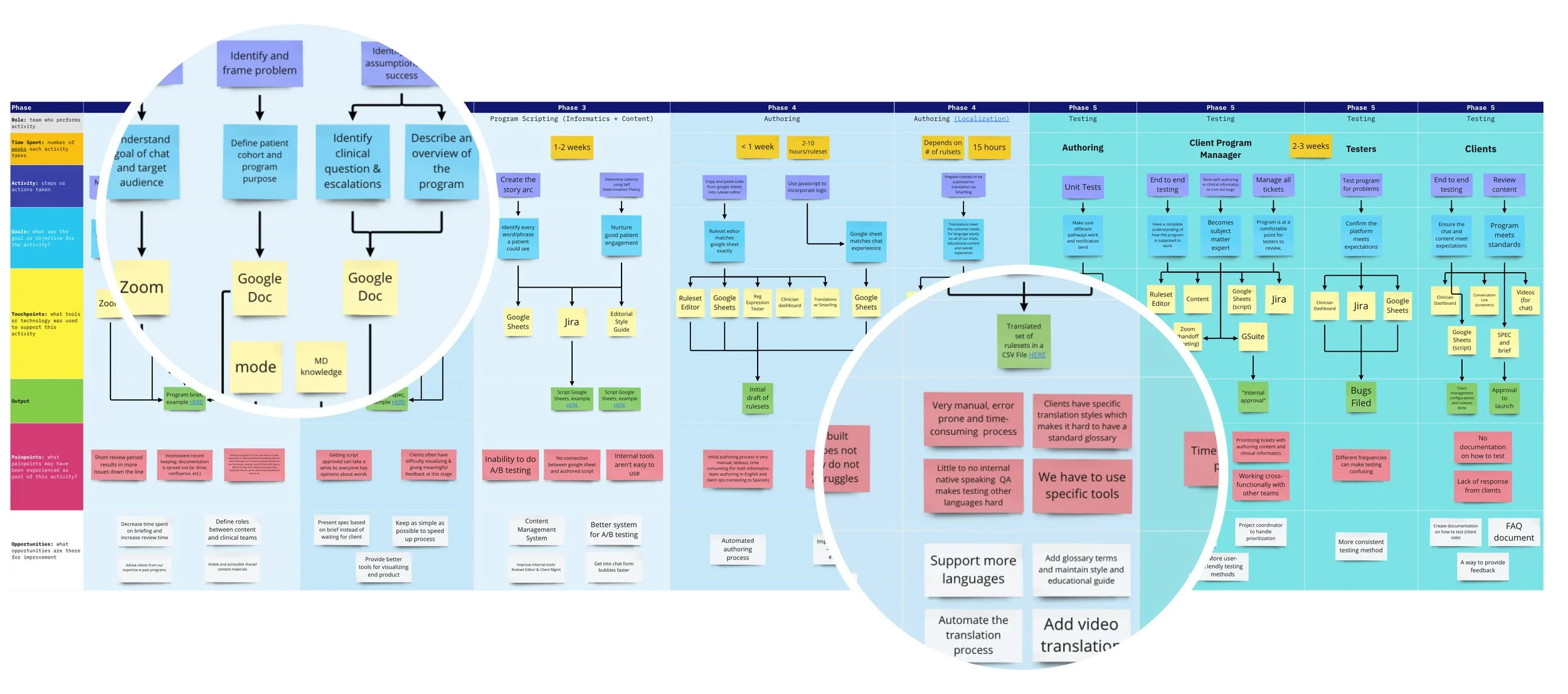
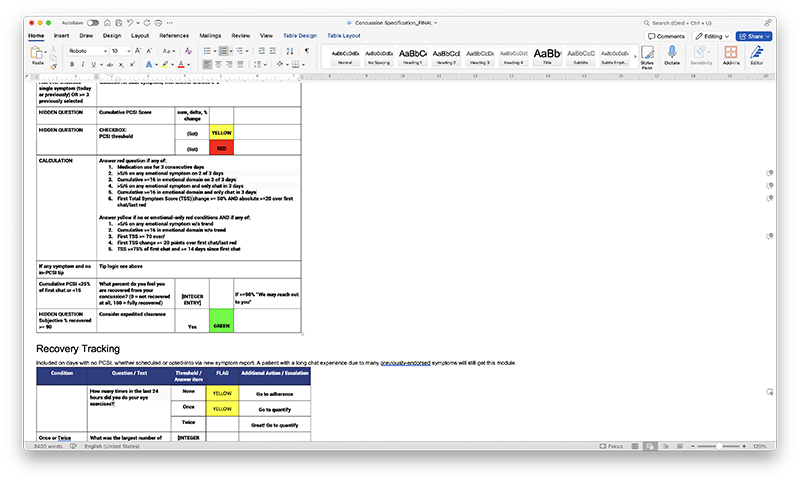
Care programs were built across many tools and documents that were passed along to different teams during development lifecycle. This amplified an already very complex process making time lines average around 18 weeks for a single program.
Additionally was no ability to visualize care programs until much further down the development process when modeling logic was added and the program was run. This resulted in teams often having to manually construct graphs so they could align with clients during most stages, which was very time consuming.
Our task was to bring the process of defining, develop and maintaining programs into a single collaboration tool which would serve the entire program development team.
Stakeholder Challenges
The project had been ongoing for well over one year prior to any design involvement, but there was very little to show in terms of progress that the collective teams had made.
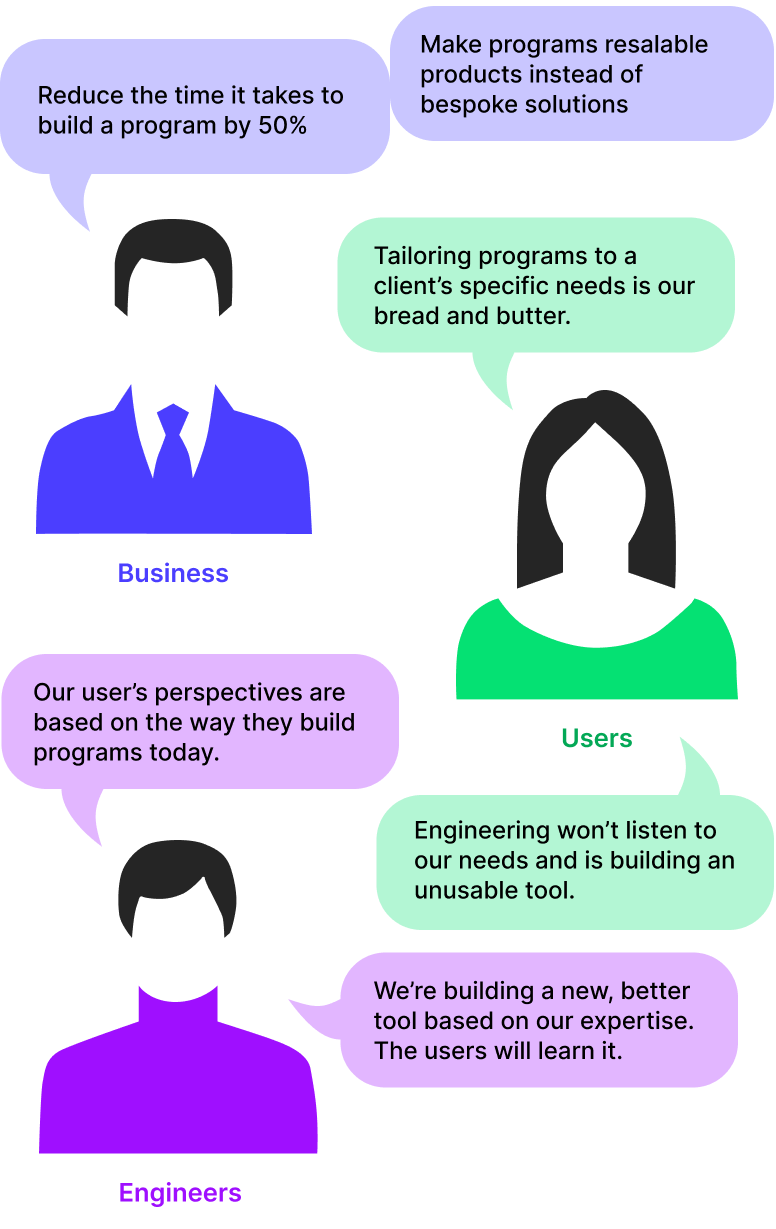
There primary groups involved was the engineering team and the program development team or the “users”. The two teams had their own vision and requirements and thus struggled to agree on most details down to even program terminology. As a result they were working separately on independent solutions.
The engineers were developing a proof of concept to support their vision, which was a reinvention of processes and workflows. The users also were working diligently on creating their own prototypes and requirements based on improvements to how they currently build programs.
On a layer above was the business, who was now looking to start selling programs as products, which wasn’t a model the teams had followed before.
Product managers were finding it difficult to find alignment between the Users and Engineers while still meeting business objectives.
The Users (Program Development)
The care program development process spanned across three teams, each working in different primary and secondary tools. This results in having to translate information when it passes from one team to another.
Informaticists
Role: Interact with health systems to find opportunity areas and outline, structure and schedule programs.
Goals: Align with clients on needs. Generate Program Outline, Define program purpose and logistics.. Validate clinical outcomes.
Pain Points: Nothign is reusabile. Current system has a lot of repitition . Difficult to Visualize Chats. Working with client to create and finalize chats is the most time consuming part. Easy for human error
Wants: I want everything to be reusible. I want to create program structures on the fly during client engagements
Tools: Google Docs, MD Knowledge, Mode, Zoom
Conversation Designers
Role: Focus on the patient experience to build a conversation that meets their needs while delivering clinical outcomes.
Goals: Build empathetic and good conversation experiences that lead to desired outcomes. Align with informatics on goals, structure etc.
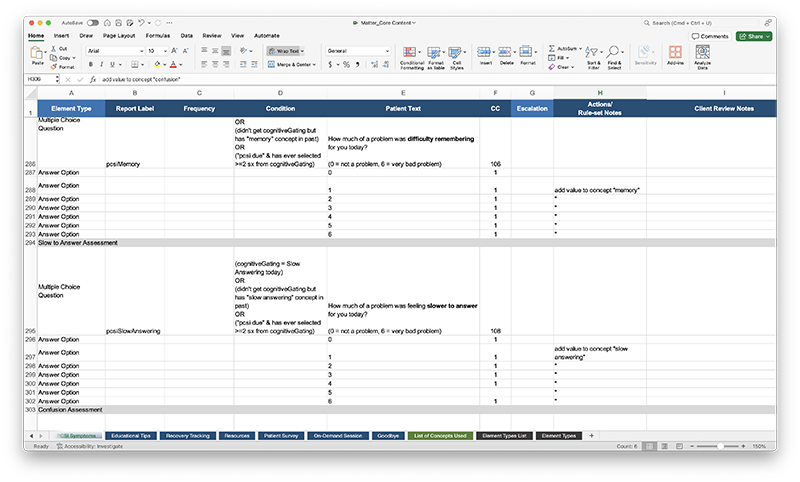
Pain Points: Difficult to read and understand format of program outlines. Difficult to get scripts approved with clients and team . Clients struggle to visualize and provide meaningful feedback.
Wants: Preview panel along with work space view at same time. Reusable assets. Ability to tag content.
Tools: Google Sheets, Jira, Editorial Style Guide
Modelers
Role: Incorporating the logic to make a program dynamic based on requirements, notes and scrips residing in various documents
Goals: Implement the technical aspects of program. Validate it meets clinical and experience requirements. Configure all parameters.
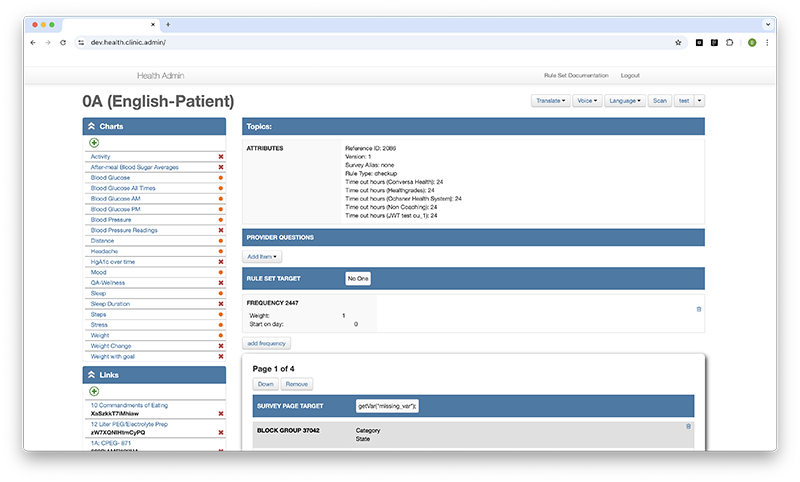
Pain Points: Very manual process. Use a in-house tool which is very time consuming. Understanding and translating required logic is very difficult to do and test.
Wants: Full control over using logic in programs. Pinpoint where decisions are made via logic for validation
Tools: Ruleset Editor, Jira, Expression Tester, Smartling
Finding Alignment
With my team being added in the mix, it was important that we worked to find balance across stakeholders and provide a single source of truth for all teams.
One of our fist lines of business was to combine forces with our product managers so we could work together on better aligning the stakeholders and engineers with what we were building. My team set up a series of spotlight sessions with engineers and the program development teams so we could understand their roles, perspectives and needs.
With the program development teams we explored their existing workflows, processes, needs and proof of concepts around building chats. We also ran a series up 1 on 1 interviews with members across the group in an effort to get more open and honest feedback from the individuals. This research helped paint a picture of the current program development processes, pain points and a wish list of improvements.
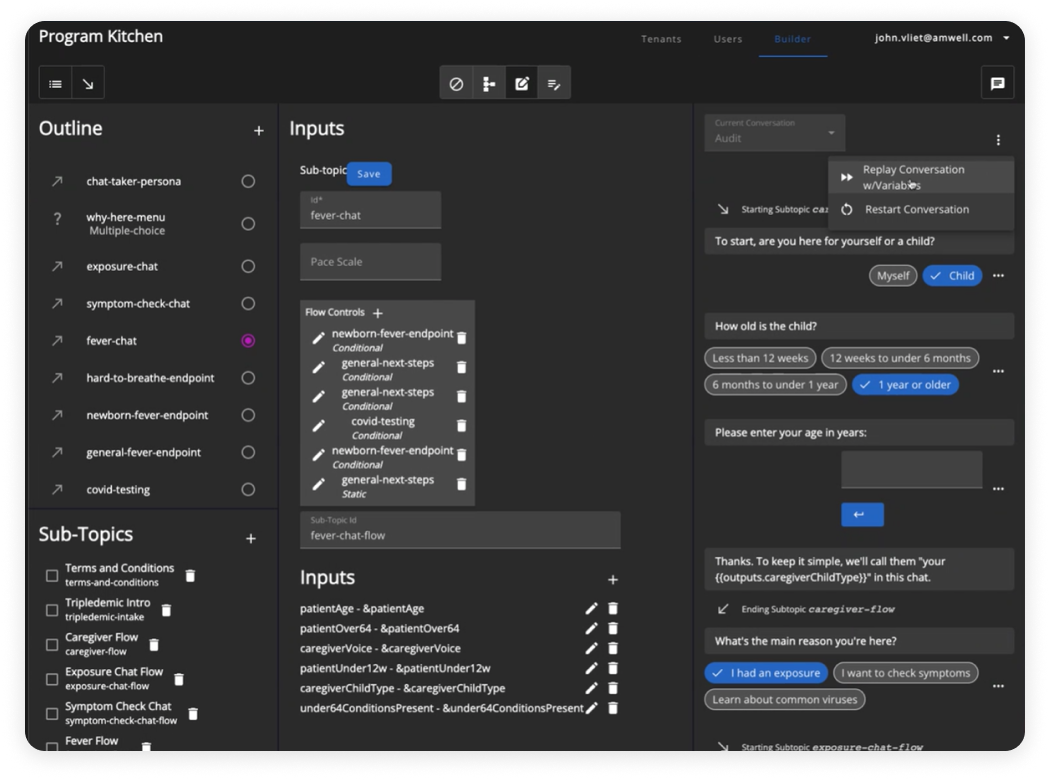
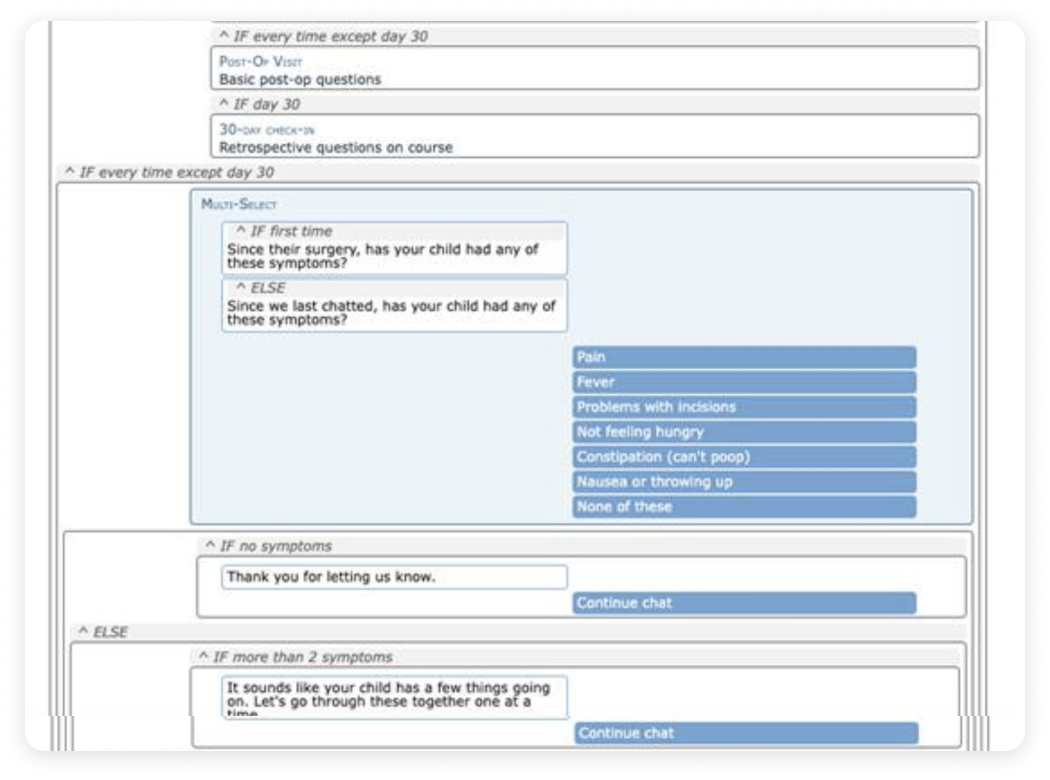
We held similar interview sessions with the engineers, in which they would demonstrated the capabilities of their Proof of Concept (PoC). The PoC represented significant paradigm shifts for program development, making it difficult for the users to translate how they do things today into how they would using this new tool. Thus there were little valuable feedback provided .
Equipped with our learnings we could see the divergence between the teams. Understanding these gaps provided us a basis for conversations between the two teams groups and fostered a more user centric approach to how we would solve for the features on our roadmap. Given the how far along the PoC had been in development, we agreed we would focus on shaping it more towards the product development team’s needs.
Setting Expectations
Various roadmaps had been established by the teams but they had very little relation to one another. This contributed to the lack of clarity and priorities for the project.
We found our initial meetings with the engineers and user groups resulted in very little progress . There were very few guardrails to keep us on track with objectives. Conversations would often spin off in new directions or result in pushback on previous directions.
Knowing it would take years before we could achieve full functionality, it was critical that we worked on identifying and aligning our short term goals with business objectives so we could break down the work into achievable pieces while also demonstrate value to the business earlier on.
Our product partners were able identify an opportunity for the Conversation studio to deliver value to the business in the near term through a reusable, productized program. This came in the form of a dynamic questionnaires and allowed for us to build a simpler set of features to support this in the tool.
The dynamic questionnaire provided us a reduced set of functionality we could build and release to our users, for them to start interacting with. which then learn from and improve upon. From here we were able to further define our road map for the next year.
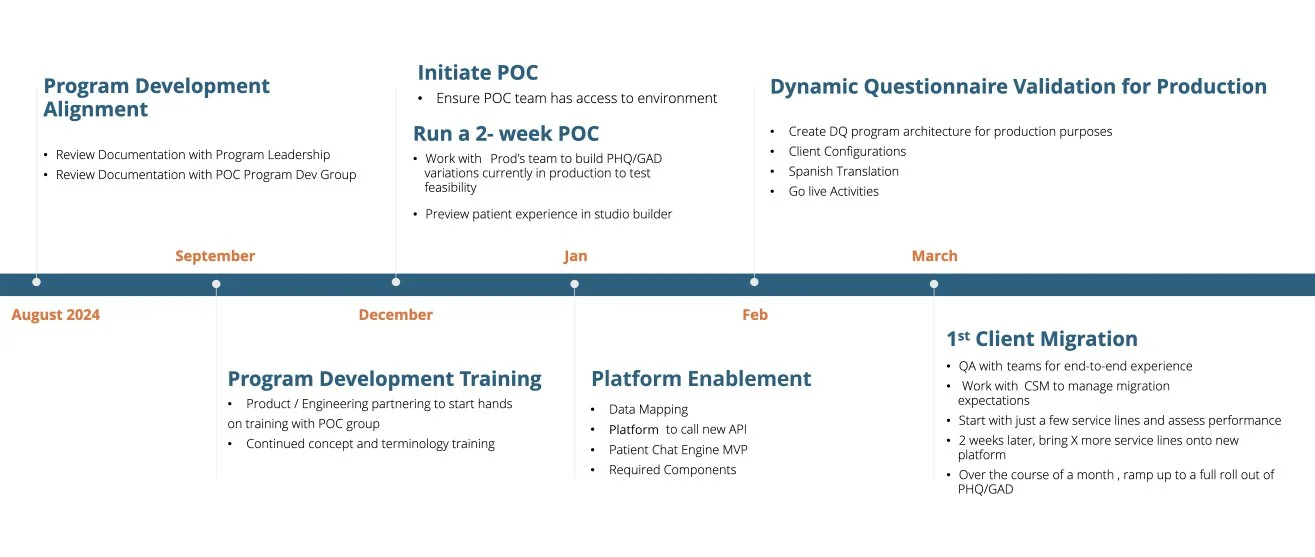
Getting buy-in from with our users meant that we needed to communicate when they could expect certain features which weren’t a part of the first release. I collaborated with product and engineering to planing, creating and maintaining a single our roadmap which all teams could align around.
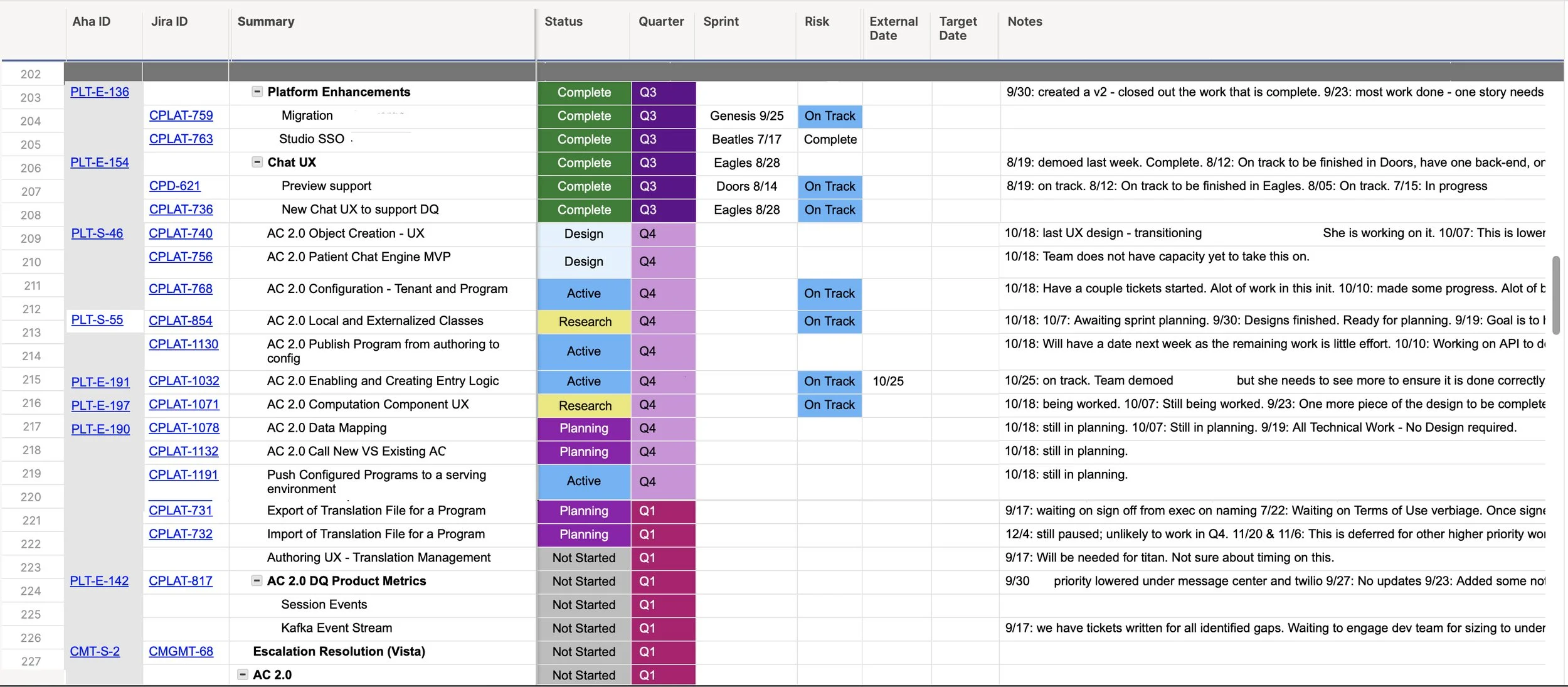
Our Process
We understood there were assumptions we were making that we wouldn’t be able validate until we build something and put it out there in front of our users. We weighed this above getting it right the first time.
Now that we had a roadmap, I worked with engineering and product teams to further break out our goals into more specific areas of functionality and smaller problems which the designers could solve for.
Our process for team alignment and validation involved weekly workshops with Product, Engineering and Design to collaborate in order to facilitate direction and decision making.
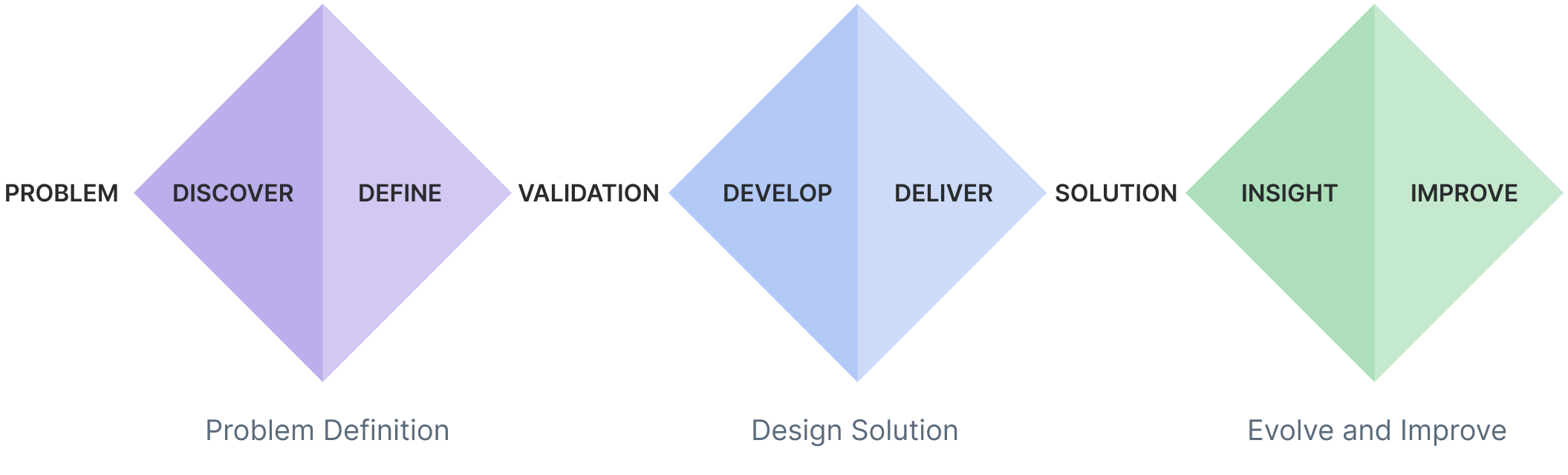
Not another diamond process! Ours followed a slightly different path. Each problem that we tackled followed a process of: 1. Problem Definition, 2. Solutioning, 3. Validate and Iterate, 4. Implementation
I teamed up the product and engineering to host bi-weekly feedback sessions with the program development teams. Here we’d step them through requirements, designs, and technical discussions. For the day to day feedback and challenges, I encouraged for team members to communicate work directly with one another as needed. Additionally we set up a smaller subset of super users to pilot the latest features and provide us with early-on feedback before pushing out to the larger team.
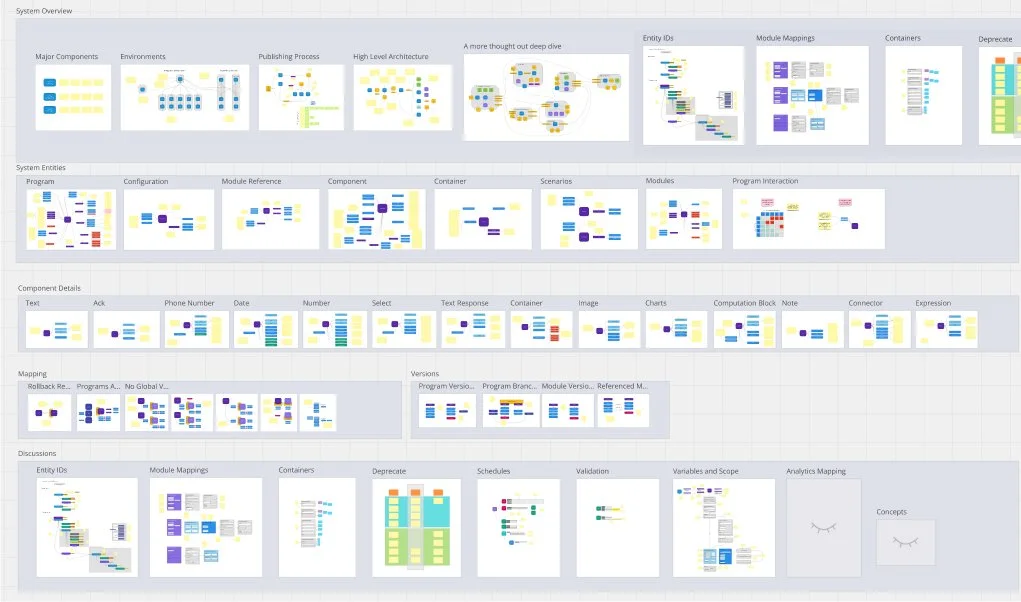
We needed to work together with both Product, Design and Engineering along with our stakeholders to define functionality and behaviors for each feature within the studio.
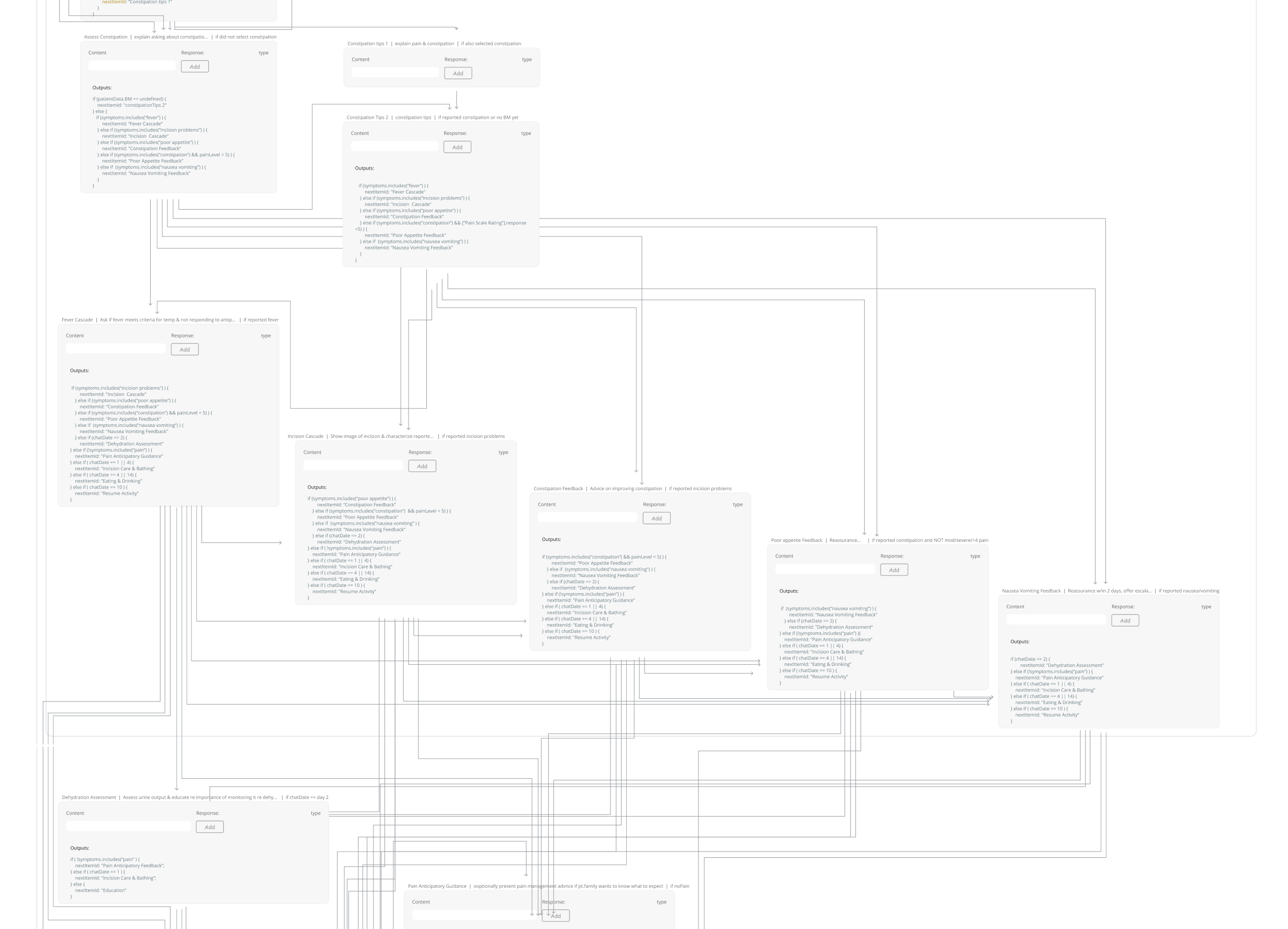
Data model studies were conducted to compare entry logic (conditionals) vs exit directed logic (decision pointing to next step) to determine the best approach for dynamic conversations forward. Ultimately entry logic was chosen .
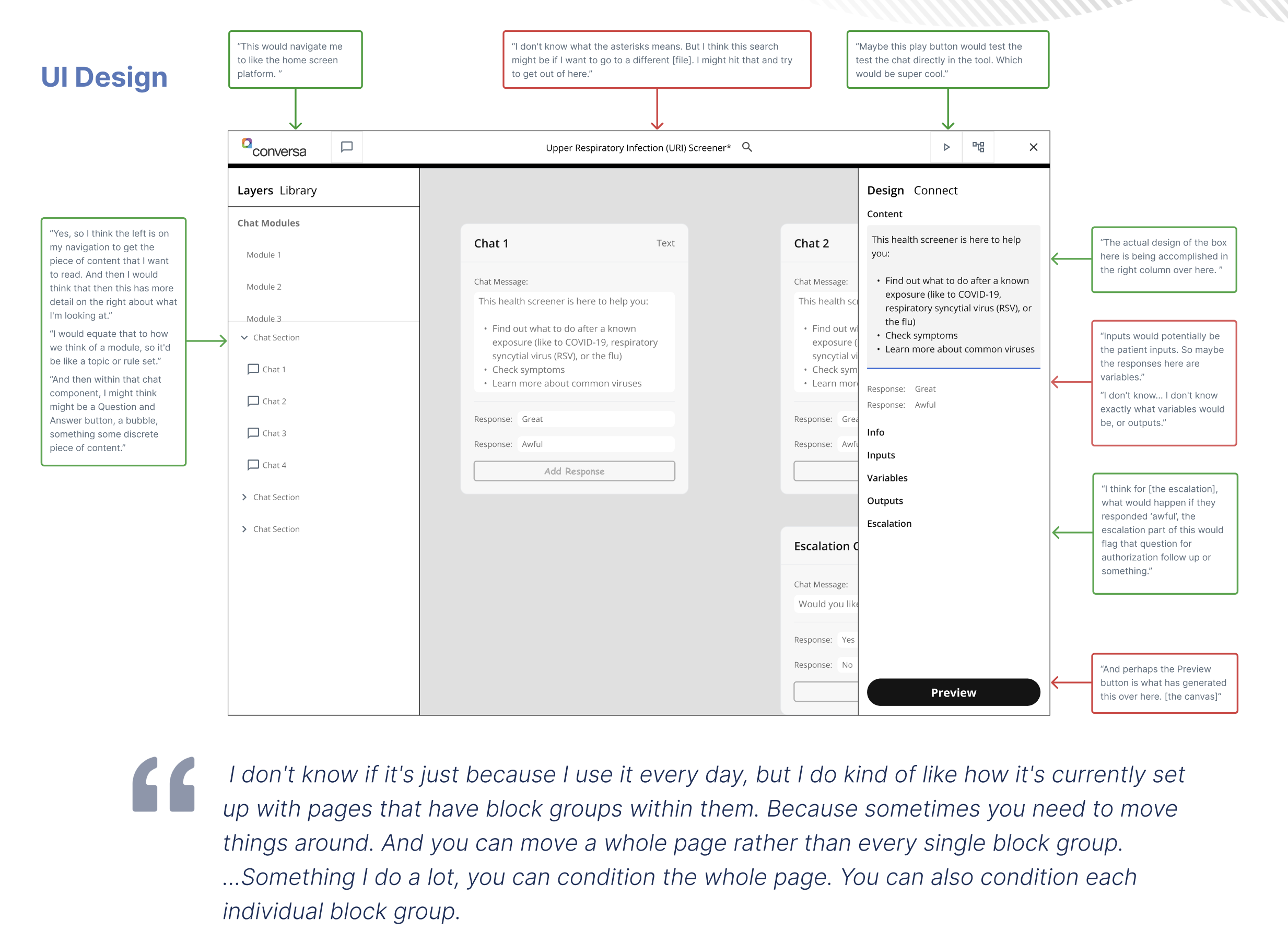
An example of how we captured feedback from the program development teams during the early stages of design.
Establishing these forums and having a regular cadence fostered team to communication and alignment, enabling us tomake necessary decisions and remove existing barriers to progress.
The Design
Working through sets of of features and functionality one at a time, finally realizing our vision for a first version of the product
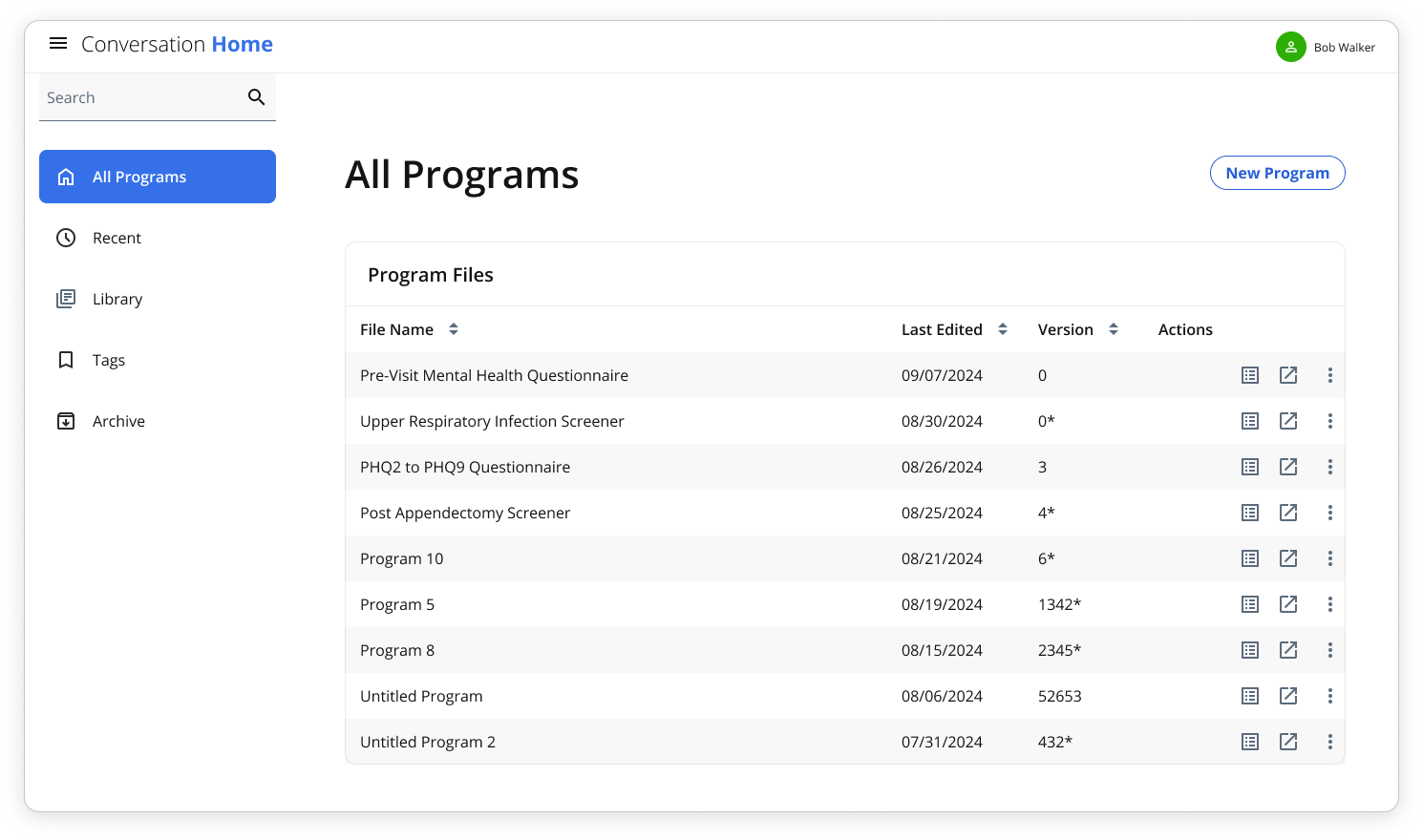
Conversation Home: Programs are viewed, organized and accessed. Also allows to manage shared assets across programs such components, tags and global classes.
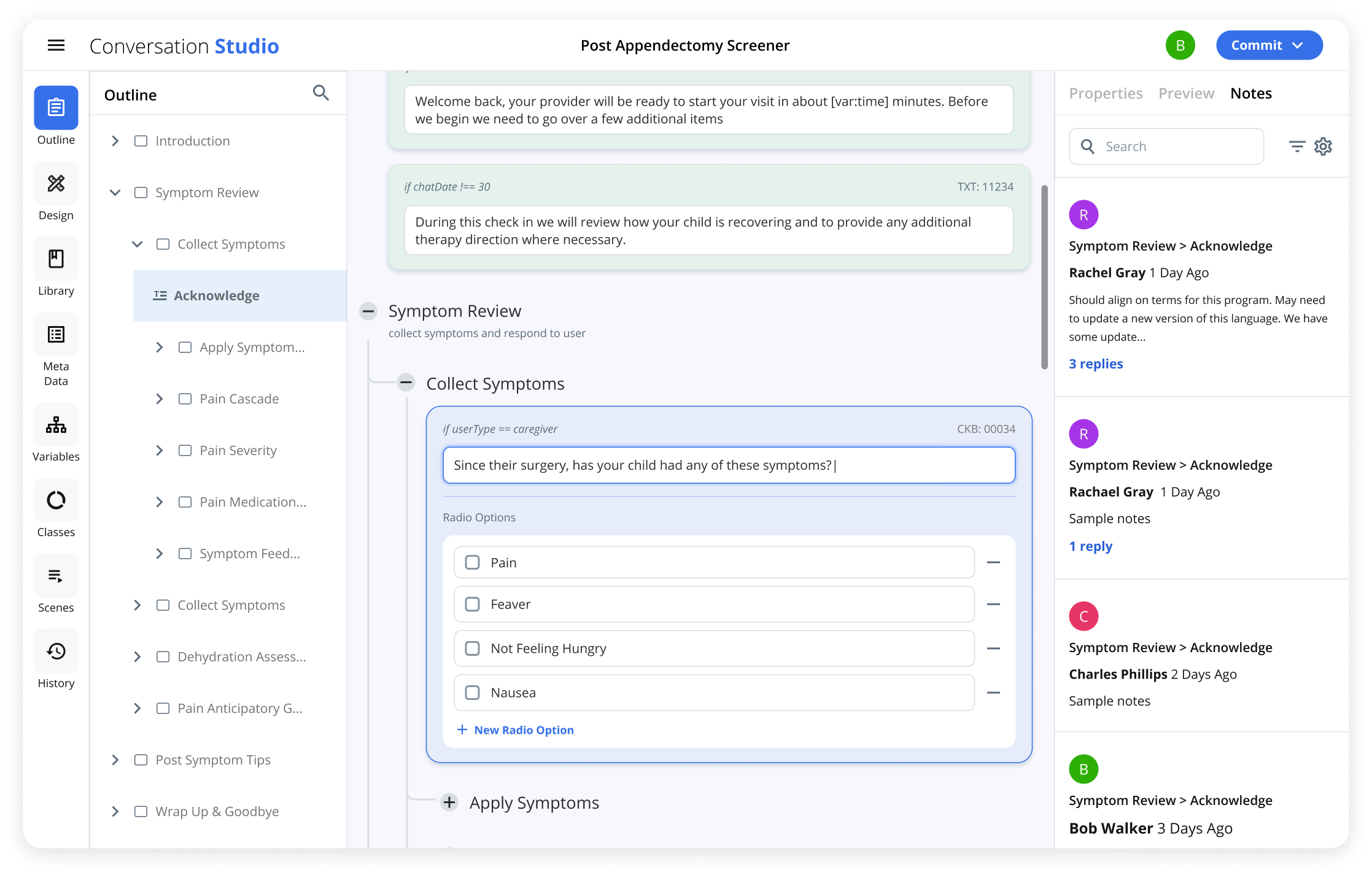
Conversation Builder - Outline Panel provides an overview of the program structure. Nested Flows in the space area. Notes in the right panel can be for overall program or attached to a specific component
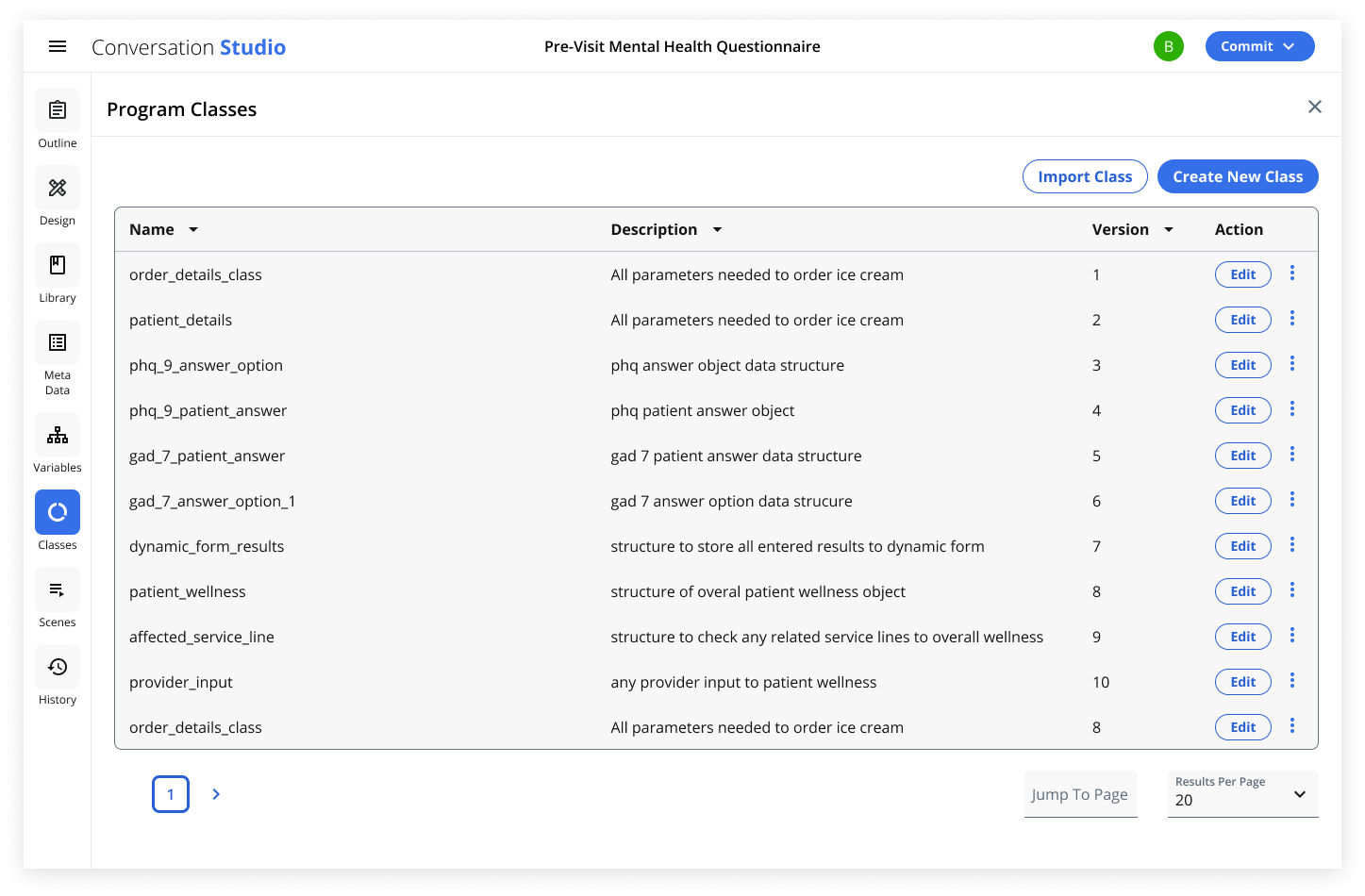
Conversation Builder - Classes panel allows for managing schemas and structures for object variables, allowing for reuse across different programs.
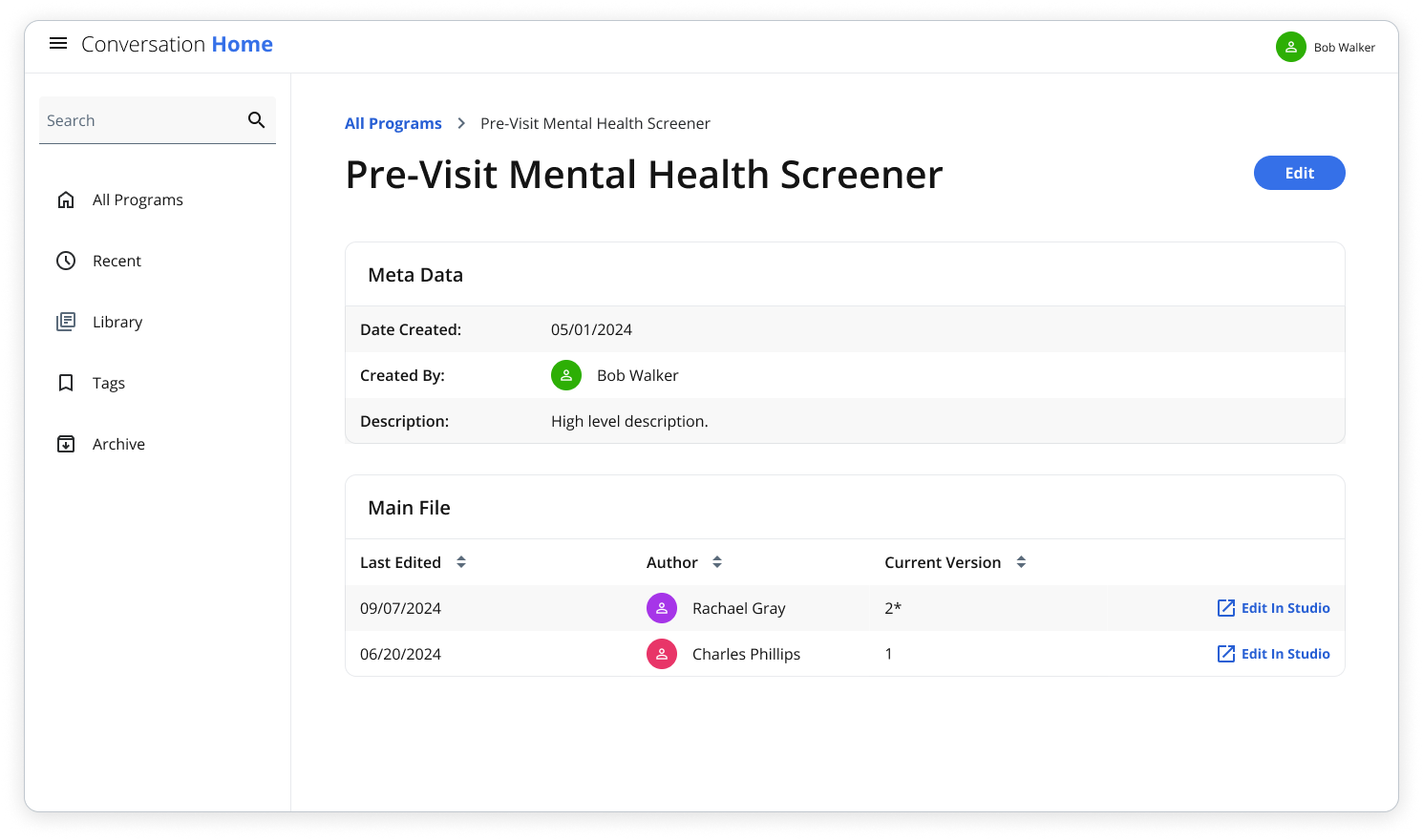
Conversation Home - Program details: Displays basic meta data and authoring information about the program along with version history.
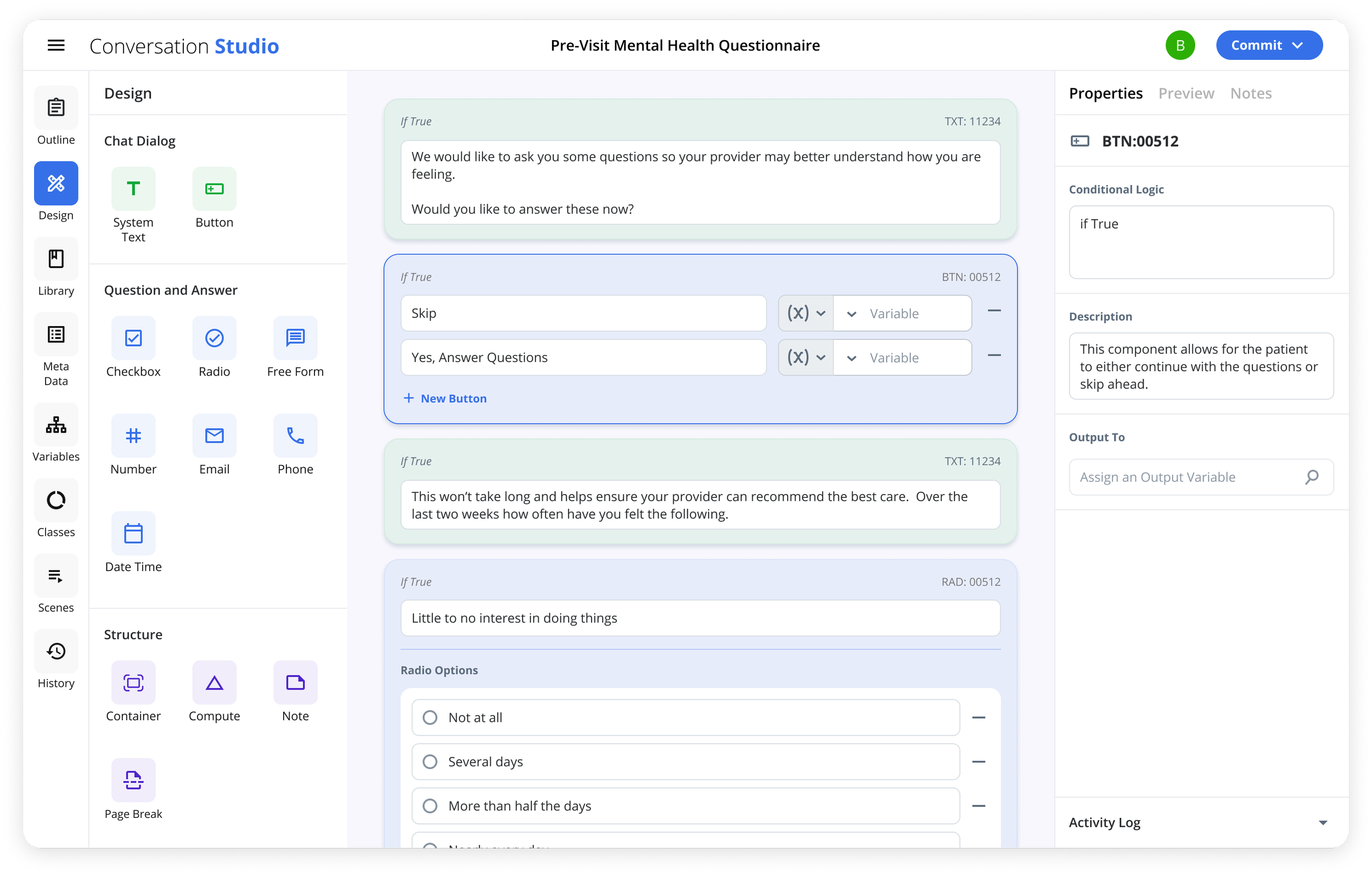
Conversation Builder - Design panel contains all components to build a program. Components are placed, edited, and rearranged in the workspace. Component meta and logic are added in the properties panel.
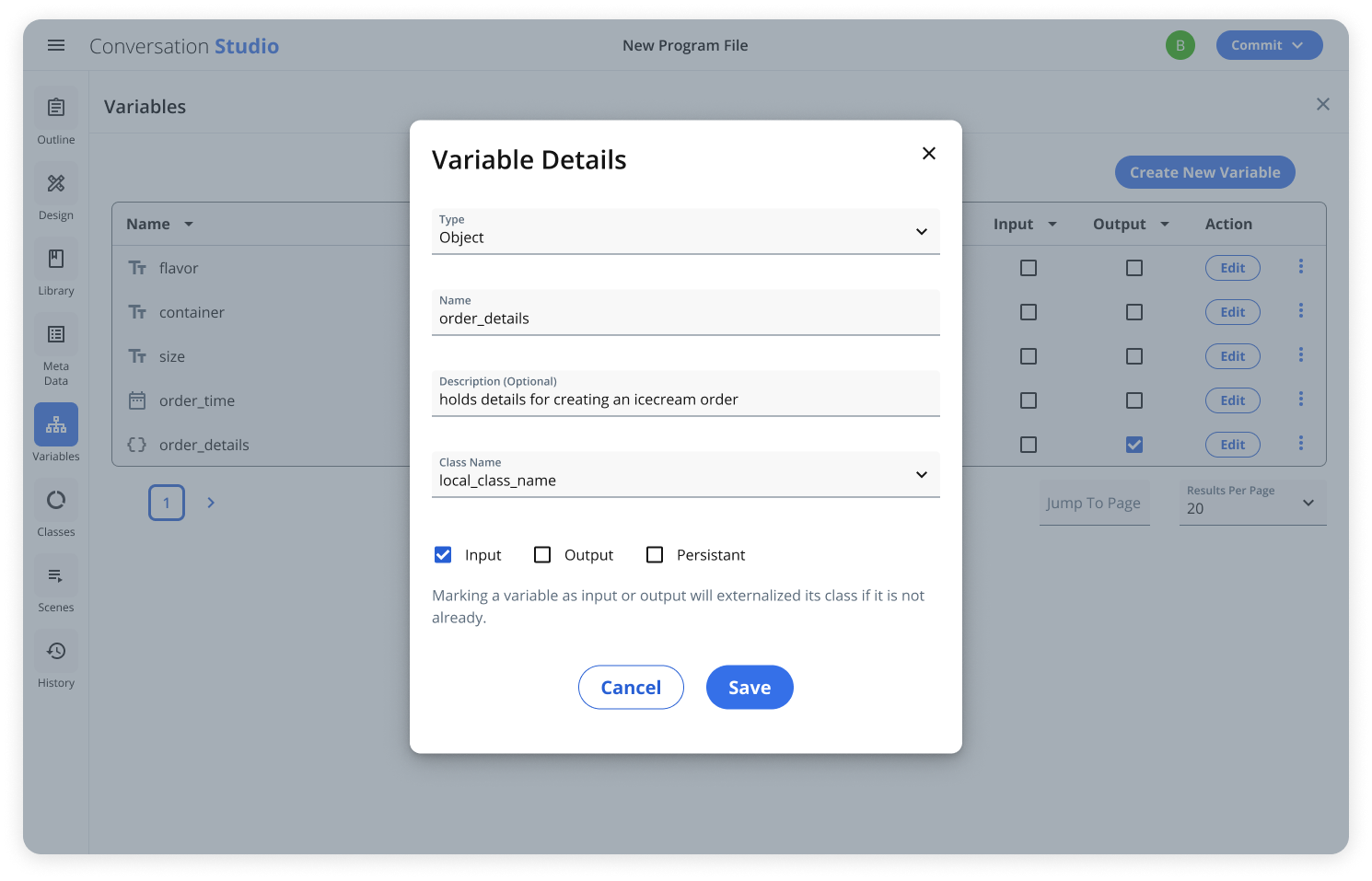
Conversation Builder - Variables are created, imported and exported for use throughout programs to provide dynamic experiences, allowing for data to be passed back and forth to external systems
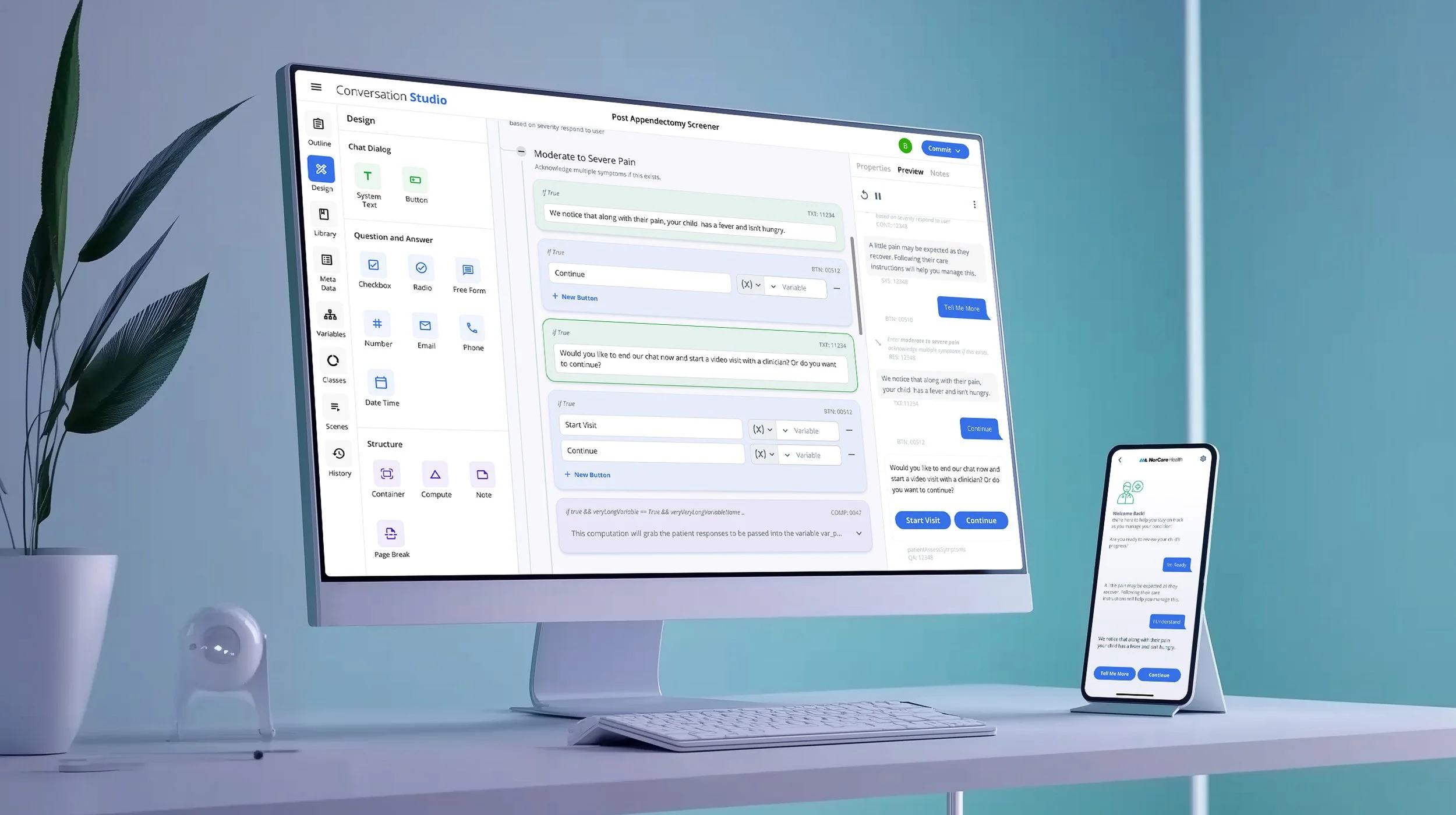
Conversation Builder - Previewing conversations allow for product development to run clinical chats while building in order to validate flows and experiences. Clinical Chats are taken by consumers on their device of choice through an application or online
The Outcome
We were able to validate that bringing the teams together into one tool did decrease time to build programs. Teams found they could mock up flows and rearrange content very quickly and that it was easier for teams to work together in one central source. Additionally we had established our first reusable programs with other future types of programs in consideration.
Areas of Success
First Reusable Programs - Dynamic Questionnaires deployed
Program Versioning
Reduced Dev Time by 45% - In Testing, in Stubbing, Classes and Variables
Tools need to build used reduced by at least 33 %
Preview Programs During Build - Yes
Reduced Skill Barriers to entry
Areas of Improvement
Program Scheduling
Entry logic “stacks” can difficult to Visually Comprehend
Infinite Canvas to be considered over Vertical Stack
Hybrid Logic (both entry and exit)
Program Visualizations and Scenarios
Preview Programs During Build - Yes